Follow along with the video below to see how to install our site as a web app on your home screen.
ملاحظة: This feature may not be available in some browsers.
<!-- زر الطقس مباشر -->
<div id="weatherWidget" style="position:fixed; left:20px; bottom:20px; z-index:9999; text-align:center;">
<!-- النص فوق الأيقونة -->
<div style="font-size:14px; font-weight:bold; color:#532855; margin-bottom:6px; text-align:center; white-space:nowrap;">
حالة الطقس
</div>
<!-- زر دائري ثابت -->
<div id="weatherBtn"
onclick="toggleWeatherBox()"
style="width:60px; height:60px; border-radius:50%; background:#532855; color:#fff; display:flex; align-items:center; justify-content:center; cursor:pointer; box-shadow:0 4px 12px rgba(0,0,0,.3); font-size:26px; margin:0 auto;">
⛅
</div>
<!-- الصندوق المنبثق -->
<div id="weatherBox" style="display:none; margin-top:10px; width:320px; max-height:70vh; border-radius:10px; overflow:hidden; box-shadow:0 4px 12px rgba(0,0,0,.3); background:#fff;">
<div style="background:#532855; color:#fff; padding:8px; font-size:14px; text-align:center; font-weight:bold;">
أحوال الطقس الآن
</div>
<iframe src="https://www.arabiaweather.com/" frameborder="0" style="width:100%; height:500px; border:0;"></iframe>
</div>
</div>
<script>
function toggleWeatherBox(){
var box = document.getElementById("weatherBox");
if(box.style.display === "none"){
box.style.display = "block";
} else {
box.style.display = "none";
}
}
</script>
بعد إذن الاخ المدير @Mc Nabulsy اليك كود احوال الطقس من برمجتي وهو بسيط على شكل ايقونة جانبية يعرض احوال الطقس متوافق مع الجوال


<!-- زر الطقس مباشر -->
<div id="weatherWidget" style="position:fixed; left:20px; bottom:20px; z-index:9999; text-align:center;">
<!-- النص فوق الأيقونة -->
<div style="font-size:14px; font-weight:bold; color:#532855; margin-bottom:6px; text-align:center; white-space:nowrap;">
حالة الطقس
</div>
<!-- زر دائري ثابت -->
<div id="weatherBtn"
onclick="toggleWeatherBox()"
style="width:60px; height:60px; border-radius:50%; background:#532855; color:#fff; display:flex; align-items:center; justify-content:center; cursor:pointer; box-shadow:0 4px 12px rgba(0,0,0,.3); font-size:26px; margin:0 auto;">
⛅
</div>
<!-- الصندوق المنبثق -->
<div id="weatherBox" style="display:none; margin-top:10px; width:320px; max-height:70vh; border-radius:10px; overflow:hidden; box-shadow:0 4px 12px rgba(0,0,0,.3); background:#fff;">
<div style="background:#532855; color:#fff; padding:8px; font-size:14px; text-align:center; font-weight:bold;">
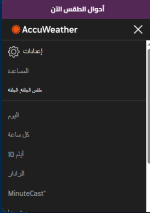
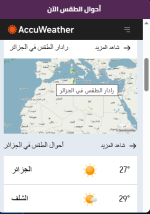
أحوال الطقس الآن
</div>
<iframe src="https://www.accuweather.com/" frameborder="0" style="width:100%; height:500px; border:0;"></iframe>
</div>
</div>
<script>
function toggleWeatherBox(){
var box = document.getElementById("weatherBox");
if(box.style.display === "none"){
box.style.display = "block";
} else {
box.style.display = "none";
}
}
</script>
نعم اشتغل الله يعطيك العافيةاسف جدا ساعيد ان شاء الله تعالى صياغة الكود لافضل من ذلك وسارسله حالا @Admin @jassim1
الحمد لله تعالى تم حل المشكل والان الكود شغال ويعرض توقعات الطقس لحظة بلحظة
وجدت معلومة مفيدة؟ أضف تجربتك أو سؤالك ليساعد النقاش أعضاء آخرين.
مقالات وشروحات من شركة انكور التطويرية.
استكشف المزيد